How to collect outstanding customer account balances — without losing the customer or escalating to collections.
A customer with an unpaid account balance is still a customer you'd like to keep. Aggressive collection tactics destroy that. SettleBot handles your account balance outreach professionally — documented statements, AI-written follow-ups, and payment plan support — so you get paid and preserve the relationship.
Itemized account statement as the exhibit
Each service or purchase, each payment received, and the running balance — all attached as a numbered exhibit. Customers can't dispute what they can clearly see.
AI writes customer-appropriate follow-up
Customer balance messages require a different tone than personal loan demands. SettleBot's AI frames the request around the account, the services, and a clear deadline — not intimidation.
Full communication log protects you
If a customer disputes the balance or claims they never received a statement, your timestamped record shows exactly what was sent, when, and that they received it.
Customer balances go unpaid when the follow-up process breaks down.
A statement sent once and then ignored doesn't get paid. A consistent, documented follow-up process — professional, non-confrontational, with clear payment options — does.
Statements go out, no one responds, and no one follows up. SettleBot ensures every open balance gets a documented, timestamped follow-up sequence automatically.
Customers claim they didn't receive the service, already paid, or dispute the amount. A documented account statement with the original agreement and service log makes each of these easy to resolve.
Accounts over 90 days are significantly harder to collect. A consistent documented process starting at 30 days recovers more accounts before they age.
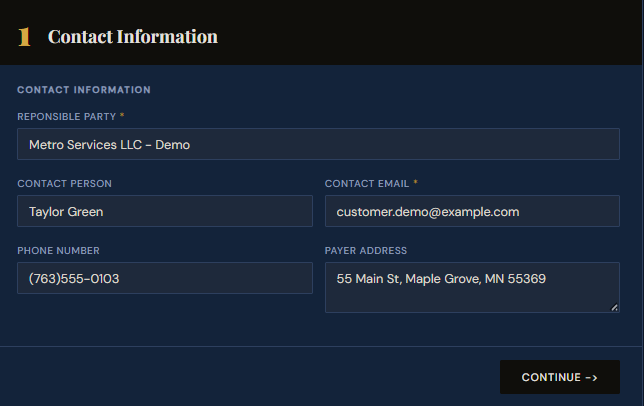
Create a claim — enter the customer's contact information.
Start by creating a claim in SettleBot. Enter the customer's business name, contact person, email, and address. Every charge, invoice, and message will be tied to this account record.
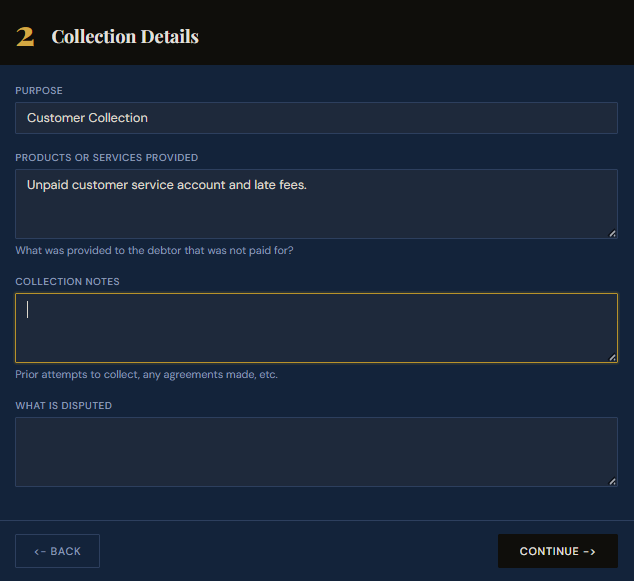
Describe the services provided and why the balance is owed.
Select "Customer Collection" as the purpose and describe what was provided — services rendered, subscription periods, or account charges. This description feeds into the AI-drafted outreach and the formal collection report.
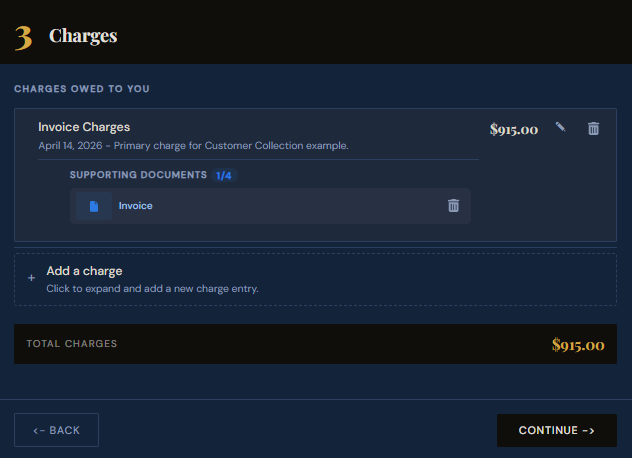
Enter the outstanding charges and attach the invoice.
Add each unpaid charge as a line item and attach the corresponding invoice or service record. The document becomes a numbered exhibit in the demand — the customer sees exactly what they owe and why.
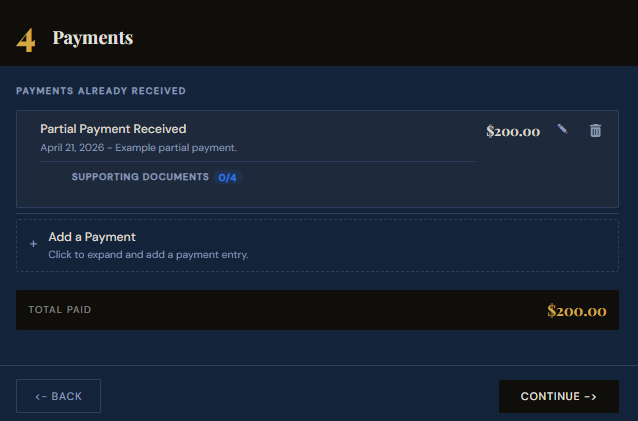
Record any partial payments already received.
If the customer has made any payments toward the balance, log them here. SettleBot calculates the remaining amount and uses the accurate net balance in all outreach — so you're asking for exactly what's still owed.
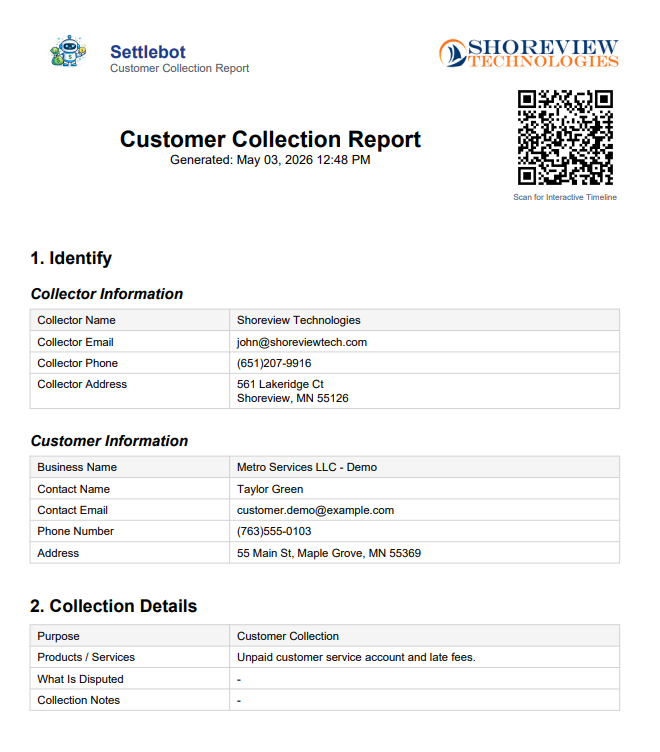
Generate a formal customer collection report.
SettleBot compiles the customer's account details, services provided, charges, payments, and exhibits into a professionally formatted PDF. This report is attached to every outreach message and is court-ready if needed.
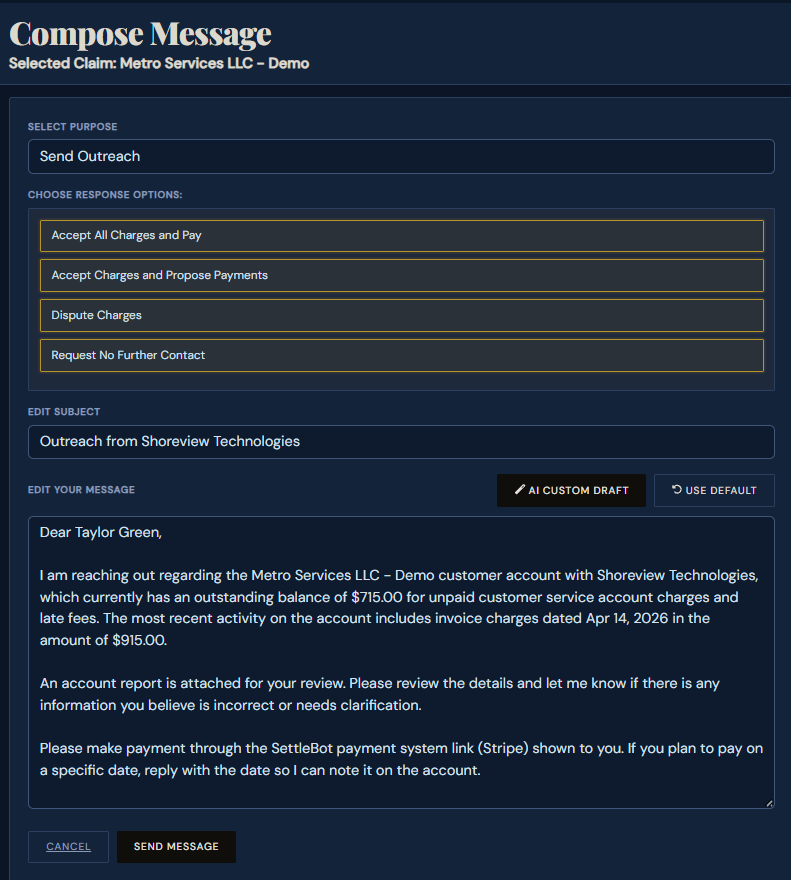
SettleBot's AI writes and sends the account balance notice.
The AI drafts a professional, account-appropriate message referencing the outstanding balance, the invoice charges, any payments received, and the remaining amount due. The customer can pay in full, propose a payment plan, or dispute — all responses are logged.
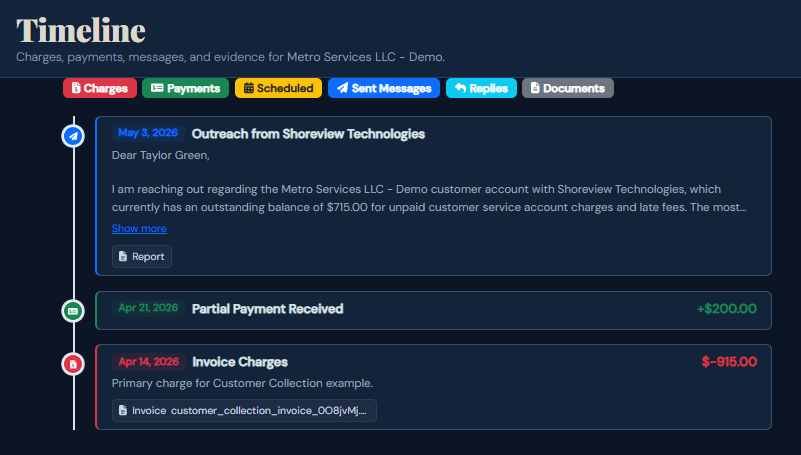
Every charge, payment, and message is logged automatically.
Every outreach sent, payment recorded, and response received is automatically timestamped and stored. If the customer disputes the balance or claims they never received a statement, the record shows exactly what happened and when.
"We were writing individual collection emails for every past-due account. SettleBot cut that to near zero — each account gets a documented statement and a professional follow-up automatically. Recovery rates went up."
Free to try · $17 per claim to send · No subscription