How to collect money owed to you — documented, professional, and court-ready if needed.
Someone owes you money and won't pay. The situation doesn't fit a neat category — it's a dispute, a broken agreement, or money owed for something that's hard to label. SettleBot handles any of it: enter what happened, attach your evidence, and let the AI write a professional demand that puts everything on the record.
Evidence attached to every charge
Photos, receipts, contracts, messages — uploaded as numbered exhibits linked to each line item. The respondent sees a complete, documented record — not a complaint.
AI writes a calm, factual demand
SettleBot's AI drafts a professional message that presents the facts, states what is owed, and gives the other party a clear deadline and a link to respond.
Court-ready if they don't respond
Everything — charges, exhibits, communications — compiles into a single PDF you can take to small claims court without needing an attorney.
Most people who owe money count on the other party giving up.
The moment you show up with organized documentation, a formal demand, and a timestamped record of every follow-up, the dynamic shifts. This is no longer a disagreement — it's a record heading toward court. Most people settle when that becomes clear.
Without a paper trail, it's your word against theirs. SettleBot creates the paper trail: what was owed, when, and every attempt to collect it.
Disputes get personal. SettleBot removes you from the equation — the AI writes the message, the platform tracks the responses, and the record stays clean.
Without documentation, filing a small claims case is difficult. SettleBot builds the case file as you go — by the time you need it, it's already ready.
Documentation changes the conversation. When the other party sees a formal record instead of another email, they stop stalling and start negotiating.
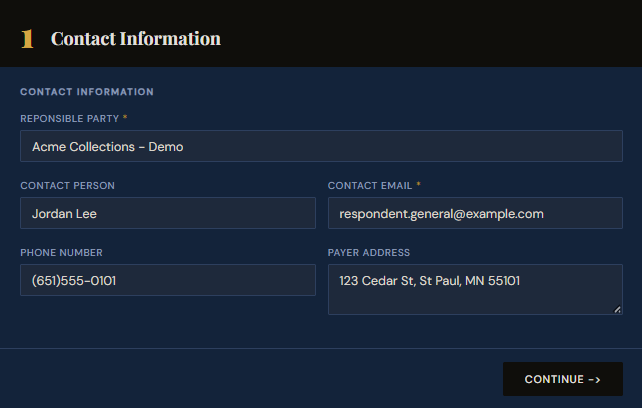
Create a claim — enter the respondent's contact information.
Start by creating a claim in SettleBot. Enter the respondent's name, email, phone, and address. Every charge, document, and message will be tied to this record — and the formal demand will be delivered to this contact.
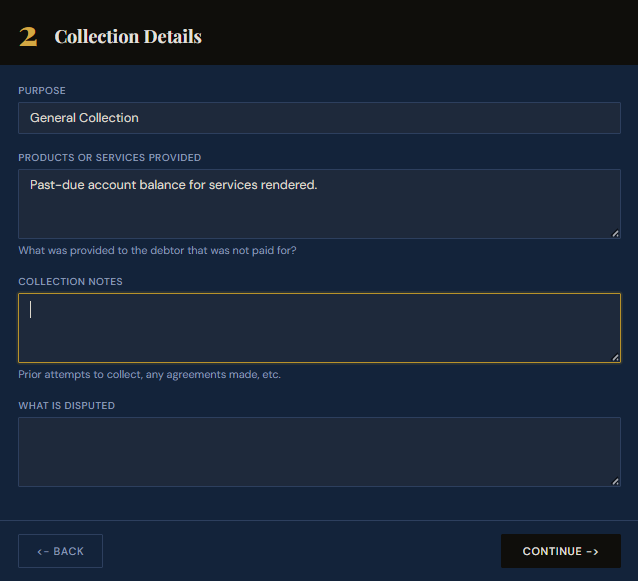
Describe what was agreed and what went wrong.
Select "General Collection" as the purpose and describe what happened — what was provided, what was agreed upon, and why payment is now overdue. This description feeds directly into the AI-drafted demand message.
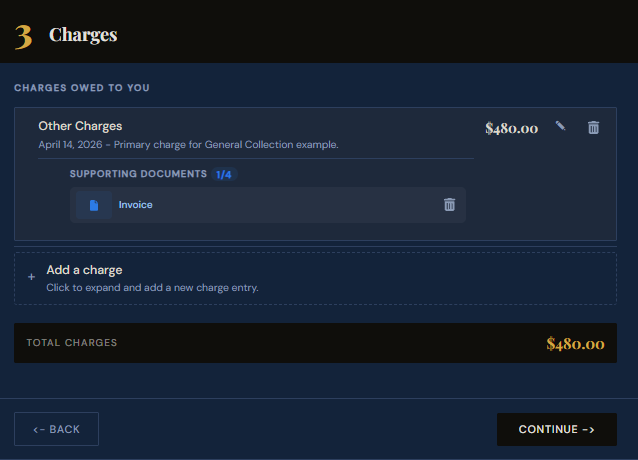
Enter the amount owed and attach supporting evidence.
Add the outstanding amount as a charge. Attach whatever you have — an invoice, receipt, contract, photo, or text thread — directly to the charge. It becomes a numbered exhibit in the formal demand.
SettleBot stores these documents permanently linked to the claim in the same format a small claims court expects.
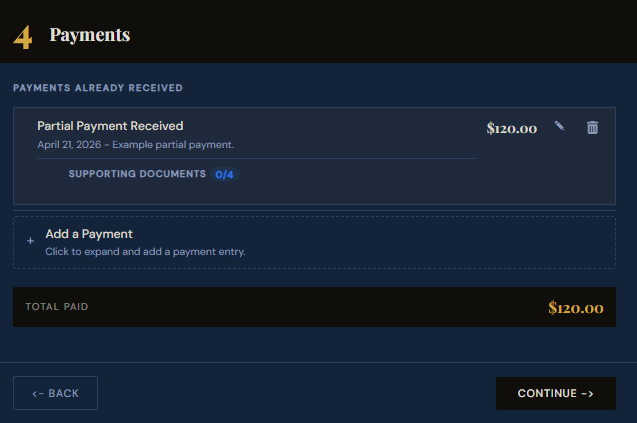
Record any partial payments already received.
If the respondent has made any payments toward the balance, record them here. SettleBot calculates the remaining amount automatically and uses that figure in the demand — so you're collecting what's actually still owed.
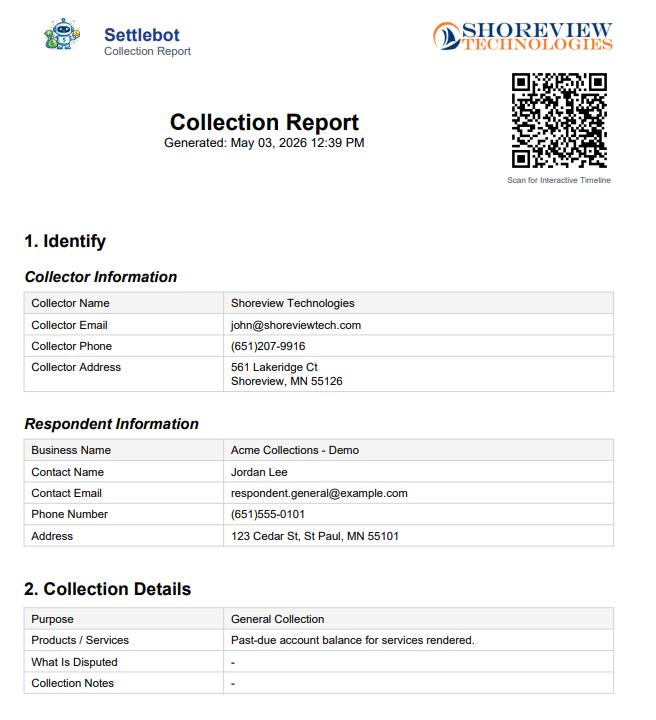
Generate a formal collection report.
SettleBot compiles the respondent's information, what was owed, any payments received, and all attached exhibits into a professionally formatted PDF. This report is attached to every outreach and ready for court if needed.
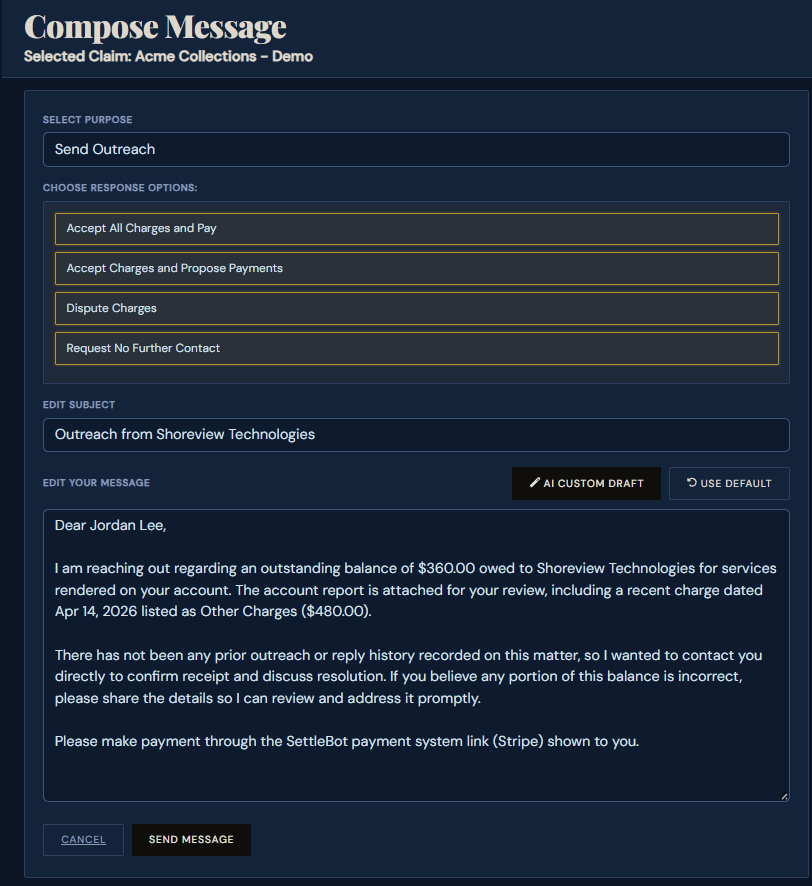
SettleBot's AI writes and sends the demand.
The AI drafts a professional, factual demand referencing the charges, exhibits, and remaining balance — with a clear deadline and a link for the respondent to pay, propose a plan, or dispute. All responses are logged.
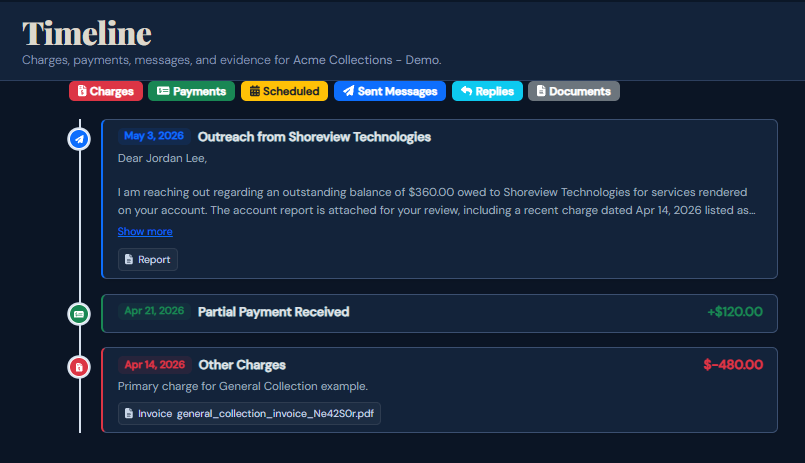
Every charge, payment, and message is logged — ready for court.
Every message sent, payment received, and response logged is automatically timestamped and stored. If the respondent refuses to pay, the full record is ready to take to small claims court without needing an attorney.
Document. Demand. Resolve.
"I'd been trying to collect for four months with emails and calls. SettleBot demand went out on a Thursday — they responded with a payment offer by Friday afternoon. The exhibits made it real."
Free to try · $17 per claim to send · No subscription
Common questions
Yes. General Collection covers any situation that doesn't fit a specific category — equipment damage, broken agreements, informal arrangements, or anything else where someone owes you money and isn't paying.
Start with whatever you have. Even a single text thread or a bank transfer record is enough to begin. Add more as you find it. A partial record is better than no record — and SettleBot builds on whatever you provide.
Yes. The respondent receives a unique link where they can review the full claim, respond in writing, propose a payment plan, or upload their own documentation. All of it is logged automatically.
SettleBot has purpose-specific modes for tenant move-out damages, contractor warranty claims, unpaid invoices, property damage, personal loans, goods not delivered, and more — each with AI messaging tailored to that situation.
Build your claim in minutes. Send the demand today.
Enter what happened, attach your evidence, and let SettleBot write the demand — with a court-ready report if they don't respond.