How to get a refund when a seller doesn't deliver — without a credit card chargeback being your only option.
You paid. Nothing showed up. The seller stopped responding. Whether it's a custom order, a private seller, or a small vendor without a clear return policy, SettleBot turns your receipt and order documentation into a formal refund demand — and a paper trail that supports a chargeback, a dispute, or a small claims filing.
Payment proof and order confirmation as exhibits
Receipt, bank transfer, order confirmation — attached as exhibits. There's no ambiguity about what was paid for and when.
AI writes a formal refund demand
SettleBot drafts a professional demand referencing the order, the payment, the non-delivery, and a clear deadline — stronger than a complaint email.
Communication log for chargeback evidence
Banks and credit card companies ask for evidence of your attempts to resolve the dispute directly. SettleBot's timestamped log is that evidence.
Sellers count on buyers giving up or only knowing about chargebacks.
A chargeback through your bank is one path — but it doesn't work for cash, Zelle, Venmo, or wire transfers. A formal demand with documentation is often what actually produces a refund or delivery.
Emails go unanswered, the phone number stops working. A formal demand sent to a documented address — with a copy on record — signals that you're not going away.
No chargeback option. Your only path to recovery is a formal demand, a small claims filing, or both. SettleBot builds the record for all of these.
The seller delivered part of the order and disappeared. Document what was received, what was missing, and the value of the shortfall — then demand the difference or a proportional refund.
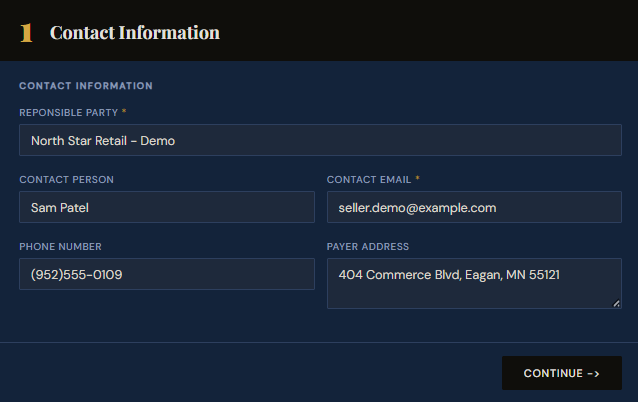
Create a claim — enter the seller's contact information.
Start by creating a claim in SettleBot. Enter the seller's name, email, phone, and address. This becomes the foundation of your formal refund demand — every document and message is tied to this record.
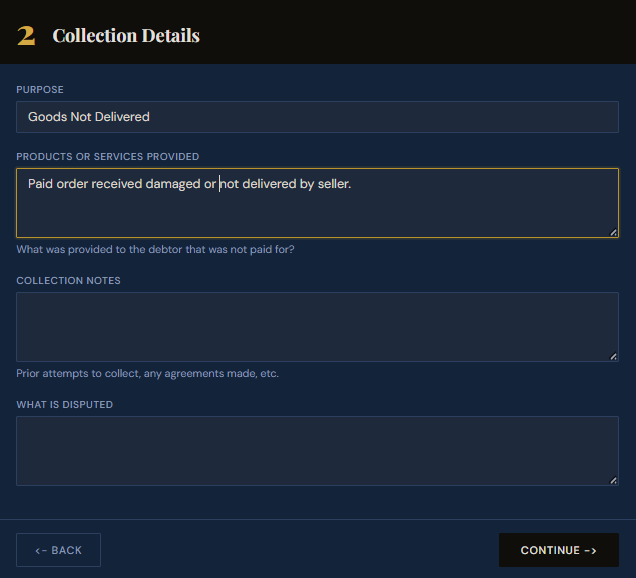
Set the purpose and describe what was ordered and not received.
Select "Goods Not Delivered" as the purpose and describe the order — what was paid for, when it was ordered, and that it was never delivered or arrived damaged. This description appears in the formal demand and your dispute report.
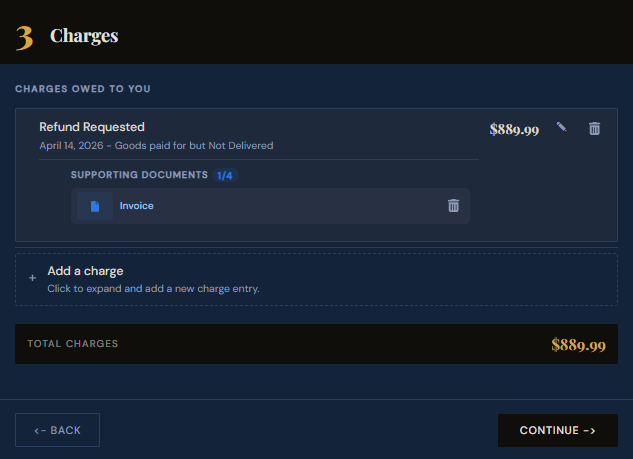
Enter the refund amount and attach proof of payment.
Add the amount paid as a "Refund Requested" charge and attach your receipt, order confirmation, bank transfer record, or payment screenshot. It becomes a numbered exhibit — the evidence your seller, bank, or court needs to act.
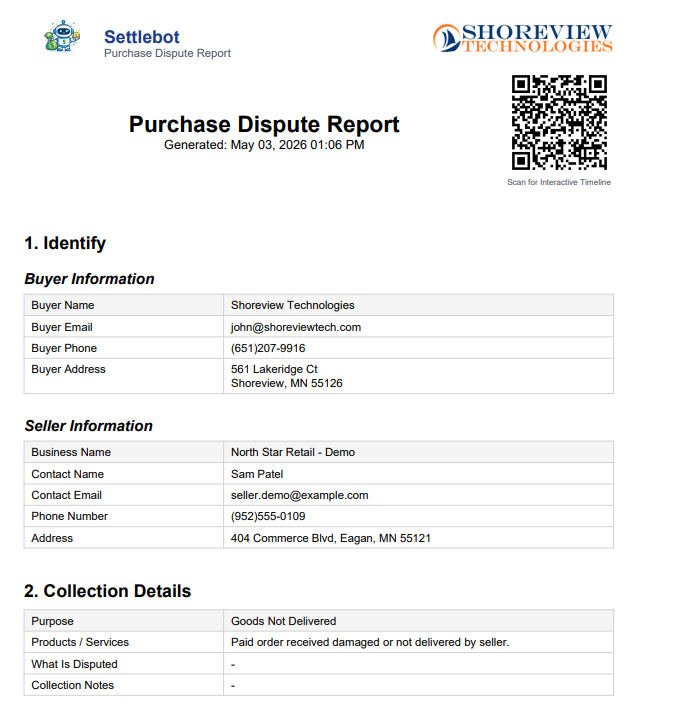
Generate a formal Purchase Dispute Report.
SettleBot compiles the seller's information, the order description, the refund amount, and your attached exhibits into a professionally formatted PDF. Use it as a formal demand, chargeback evidence, or a small claims filing.
SettleBot's AI writes and sends the formal refund demand.
The AI drafts a professional refund demand referencing the order, the payment amount, and the non-delivery. The seller can refund, propose a resolution, dispute, or request no further contact — all responses are logged automatically.
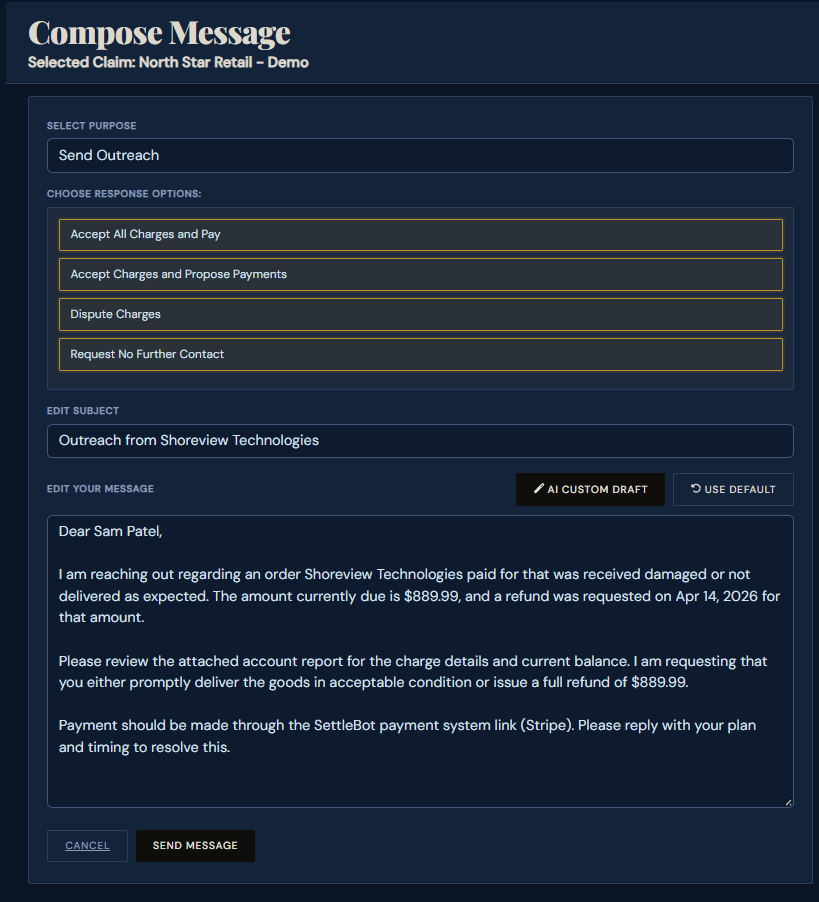
Every charge and message is logged — ready for court or chargeback.
Every demand sent and response received is automatically timestamped and stored. Banks require evidence of direct resolution attempts before processing a chargeback — SettleBot's timeline is that evidence. If it goes to small claims court, the record is already built.
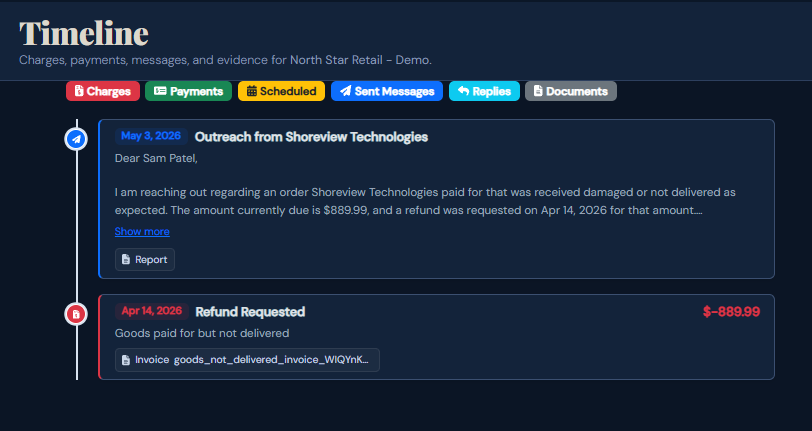
A formal demand gets faster results than an angry message.
"The seller had been ghosting me for two months. I sent the SettleBot demand with my bank transfer as Exhibit A and they issued a refund four days later. I think they realized small claims was next."
Free to try · $17 per claim to send · No subscription
Common questions
Zelle and cash payments have no built-in chargeback. A formal demand letter with documented evidence is your primary path — and SettleBot's report is exactly what small claims court uses to rule in your favor.
Document what was received (photos, any delivery confirmation) and enter only the undelivered portion as the claimed amount. SettleBot's report clearly shows what was paid vs. what was received.
Yes — Facebook Marketplace, Craigslist, Etsy, or any private seller. The formal demand letter is especially useful when the marketplace's dispute process has been exhausted or doesn't cover your situation.
Yes. Banks ask for evidence you attempted to resolve the dispute directly before filing a chargeback. SettleBot's timestamped communication log is that evidence — and it strengthens your chargeback claim significantly.