How to collect patient balances after insurance — professionally and without the awkward calls.
Patient balances after insurance are some of the most common and most uncomfortable collection situations in healthcare. SettleBot handles the outreach professionally — with a documented balance statement, AI-written follow-up messages, and an automatic communication log — so your staff isn't making uncomfortable phone calls.
EOB and service summary as exhibits
Explanation of Benefits, visit dates, and service descriptions become numbered exhibits. The patient sees exactly what insurance paid and what remains — no confusion, no dispute.
AI writes empathetic, professional outreach
Patient balance messages require a different tone than business invoices. SettleBot's AI writes clearly and professionally without sounding threatening or embarrassing.
Payment plan support built in
Patients who can't pay in full can propose a payment plan directly through their response link — tracked automatically so your staff doesn't have to manage installment schedules manually.
Patient balances go unpaid when there's no clear, professional follow-up process.
Patients often don't understand what insurance covered and what they owe. Unclear statements and uncomfortable phone calls produce avoidance, not payment. A clear, documented statement with a professional follow-up changes that.
Patients receive a balance notice and don't understand why insurance didn't cover everything. A clear summary with the EOB attached eliminates the confusion that leads to avoidance.
Calling patients about money is uncomfortable for clinical staff. SettleBot handles the professional outreach so your team doesn't have to make those calls.
The longer a patient balance sits unpaid, the harder it is to collect. A consistent, documented follow-up process prevents balances from aging past 90 days.
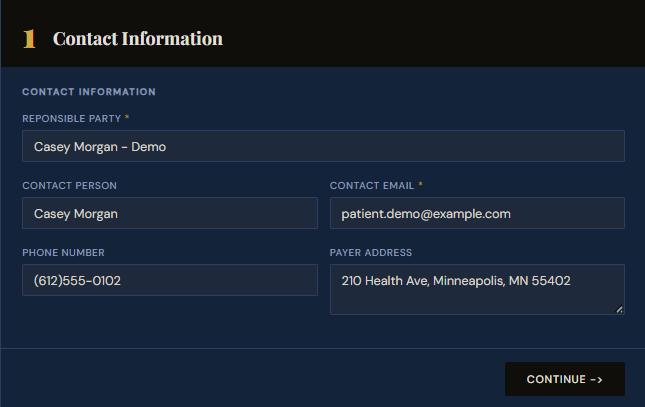
Create a claim — enter the patient's contact information.
Start by creating a claim in SettleBot. Enter the patient's name, email, phone, and mailing address. Every document, message, and response will be tied to this record — and the formal notice will be delivered to this contact.
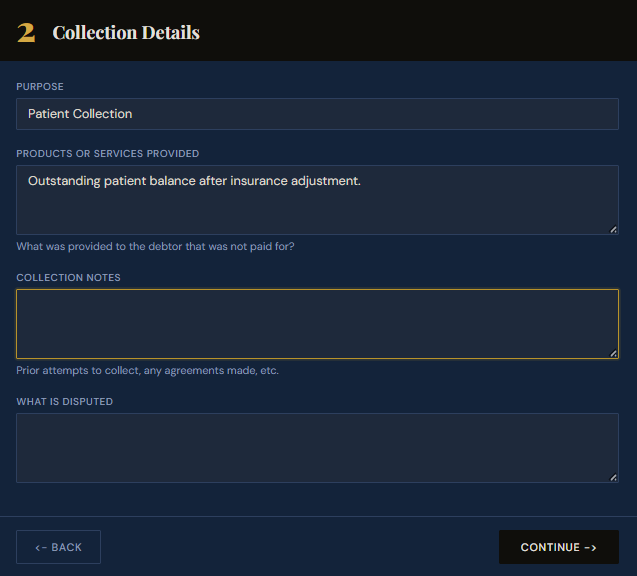
Set the purpose and describe the outstanding balance.
Select "Patient Collection" as the purpose and describe what the balance is for — services rendered, dates of service, and that the amount reflects the patient responsibility after insurance adjustment.
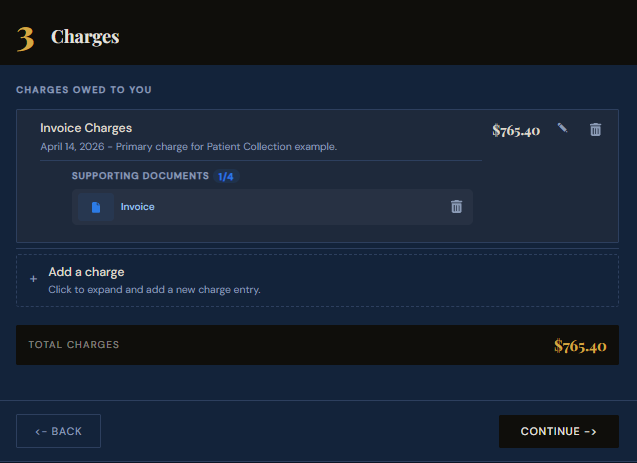
Enter the balance amount and attach the invoice or EOB.
Add the patient responsibility amount as a charge and attach the invoice or Explanation of Benefits directly to it. The document becomes a numbered exhibit — the patient sees exactly what was billed and what insurance covered, eliminating confusion.
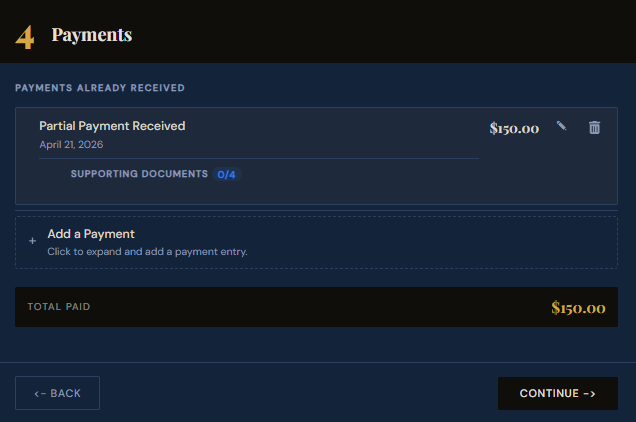
Record any payments already received.
If the patient has made a partial payment, record it here. SettleBot subtracts it from the total and shows the remaining balance in all outreach — so the patient sees an accurate, up-to-date amount owed rather than the original billed amount.
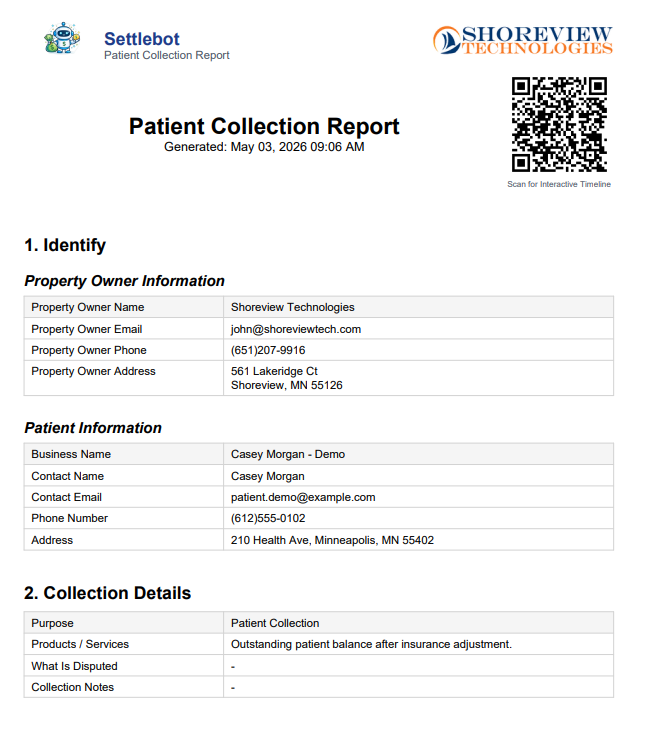
Generate a formal patient collection report.
SettleBot compiles the patient's information, service description, balance, and attached exhibits into a professionally formatted PDF. This report is attached to every outreach message so the patient can review the full breakdown.
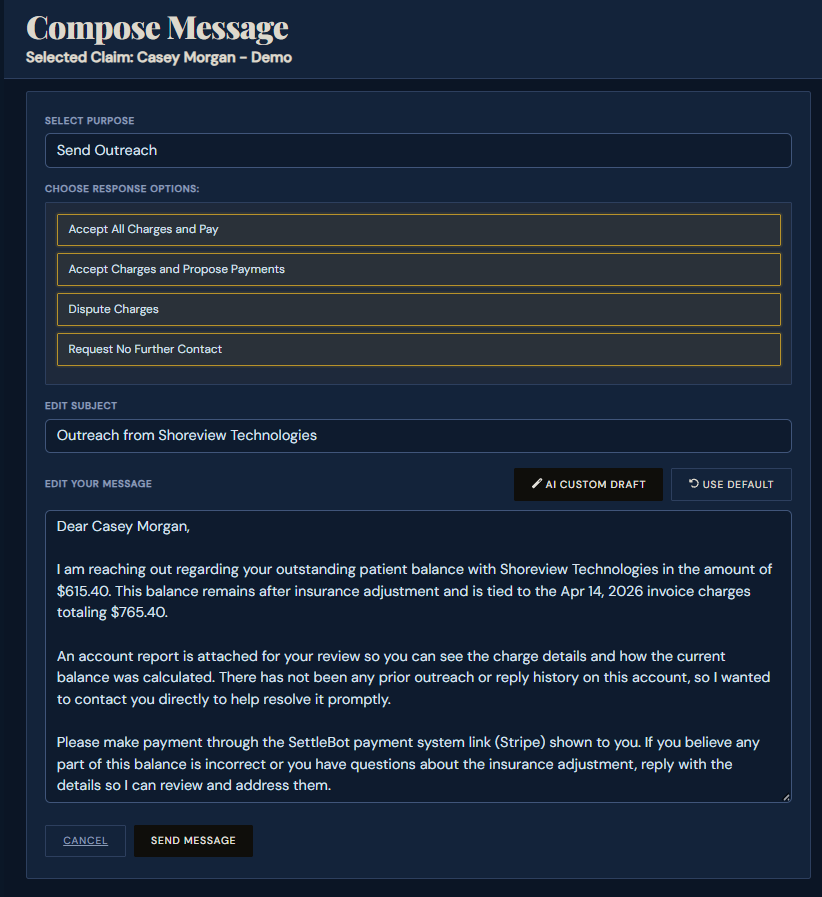
SettleBot's AI writes and sends a professional balance notice.
The AI drafts a clear, respectful message referencing the service dates, the invoice amount, the partial payments received, and the remaining balance. Patient-appropriate tone — not a collections letter. The patient can pay, propose a plan, or dispute directly through their response link.
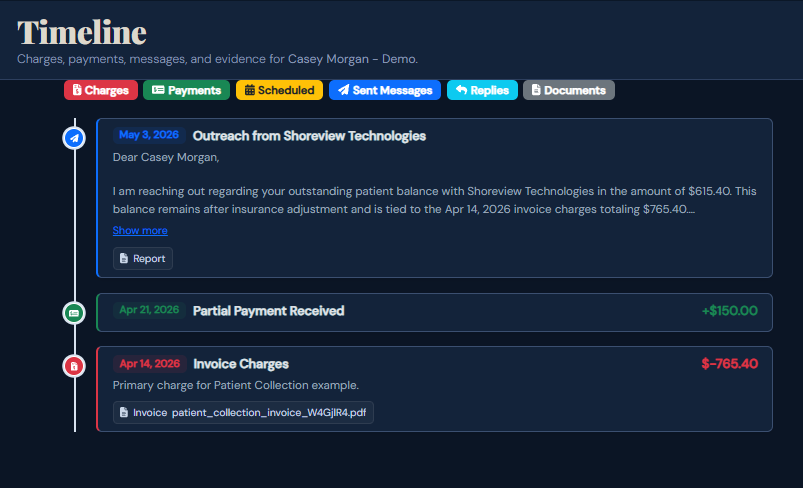
Every charge, payment, and message is logged automatically.
Every outreach sent, payment received, and response logged is automatically timestamped and stored. Your staff has a complete communication record without making a single phone call.
Consistent, documented follow-up beats phone calls.
"We used to spend hours each week on patient balance calls. SettleBot handles the first three touches automatically. By the time we need to call, the patient has already seen the documented statement twice and usually pays on the third contact."
Free to try · $17 per claim to send · No subscription