How to document and recover property damage caused by someone else.
A neighbor's tree, a reckless driver, a renter who broke something and disappeared. When someone else damages your property, you shouldn't have to absorb the cost. SettleBot turns your photos, repair estimates, and documented outreach into a formal demand — and a court-ready record if they refuse to pay.
Dated photos establish who caused what
Photos taken the day of the incident — timestamped and attached to your claim — are the single most powerful piece of evidence in any property damage dispute.
Repair estimates become numbered exhibits
Contractor quotes, repair invoices, and replacement receipts attach directly to each line item — exactly what insurance adjusters and small claims judges ask to see.
AI writes the demand — you stay calm
Neighbor disputes are emotional. SettleBot drafts a factual, professional demand that references the incident date, damage, and repair cost — without making it personal.
The responsible party counts on you not having proof.
"It was already like that." "My insurance will handle it." "That's not my tree." Without a documented record — incident date, photos, repair costs — these excuses stick.
The responsible party denies the damage was caused by them, claims it was pre-existing, or argues the repair cost is inflated. Documentation shuts each of these down.
Their insurance denies the claim or offers far less than the actual repair cost. A formal documented demand changes the dynamic — it signals you're prepared to escalate.
When the responsible party is a neighbor, a family member, or a former tenant, emotional confrontation makes things worse. A calm, formal demand keeps the conversation professional.
A formal reimbursement demand with dated photos and a repair estimate is harder to dismiss than a phone call. It shows you have a record and you intend to use it.
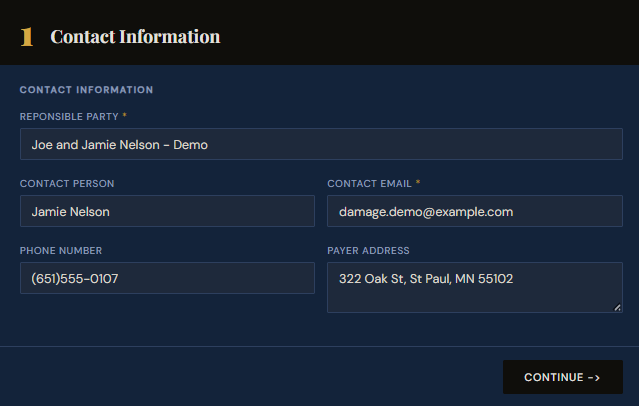
Create a claim — enter the responsible party's information.
Start by creating a claim in SettleBot. Enter the responsible party's name, email, and contact information. This becomes the foundation of your formal demand — every document, message, and response is tied to this record.
Getting the contact right at this stage ensures the demand letter and reply link reach the person responsible.
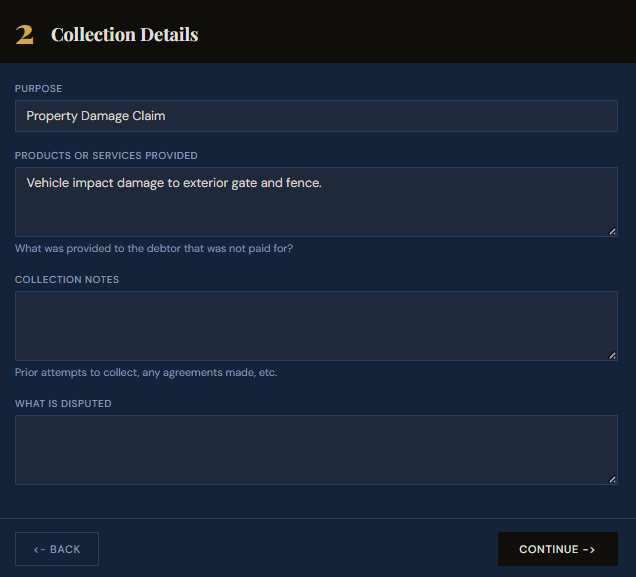
Set the claim purpose and describe the damage.
Select "Property Damage Claim" as the purpose and describe what happened — the date, how the damage occurred, and what was affected. This description appears in the formal demand and your court-ready report.
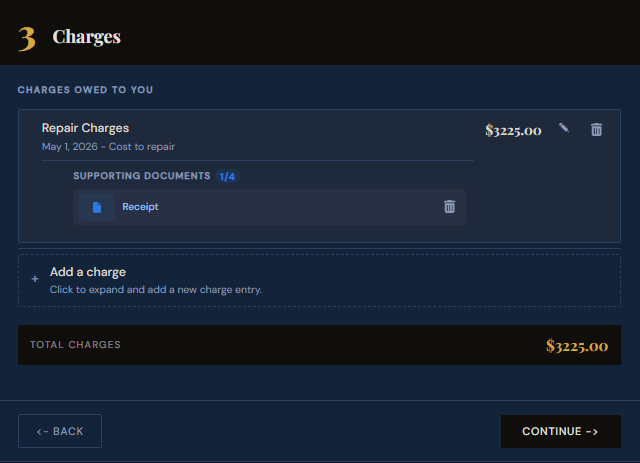
Add the repair cost and attach supporting receipts.
Enter the repair or replacement cost as a charge. Attach your contractor estimate, repair invoice, or receipt directly to the charge — it becomes a numbered exhibit in your demand PDF.
Add one charge per item of damage so the court or insurance adjuster can evaluate each cost separately.
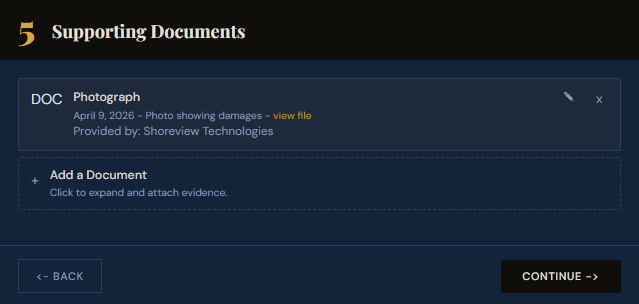
Attach photos and any other supporting evidence.
Upload damage photos, police reports, written estimates, or any other documentation. Each file is labeled, dated, and embedded as an exhibit in your formal demand — exactly what insurance adjusters and small claims judges ask for.
Generate a formal PDF reimbursement demand.
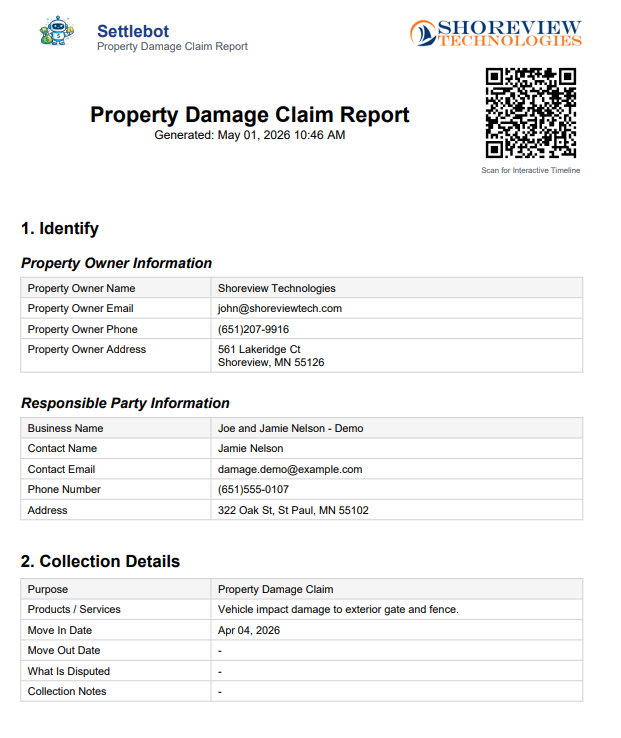
SettleBot compiles your incident description, charges, and exhibits into a professionally formatted PDF demand. Send it to the responsible party or directly to their insurance adjuster as a formal reimbursement request.
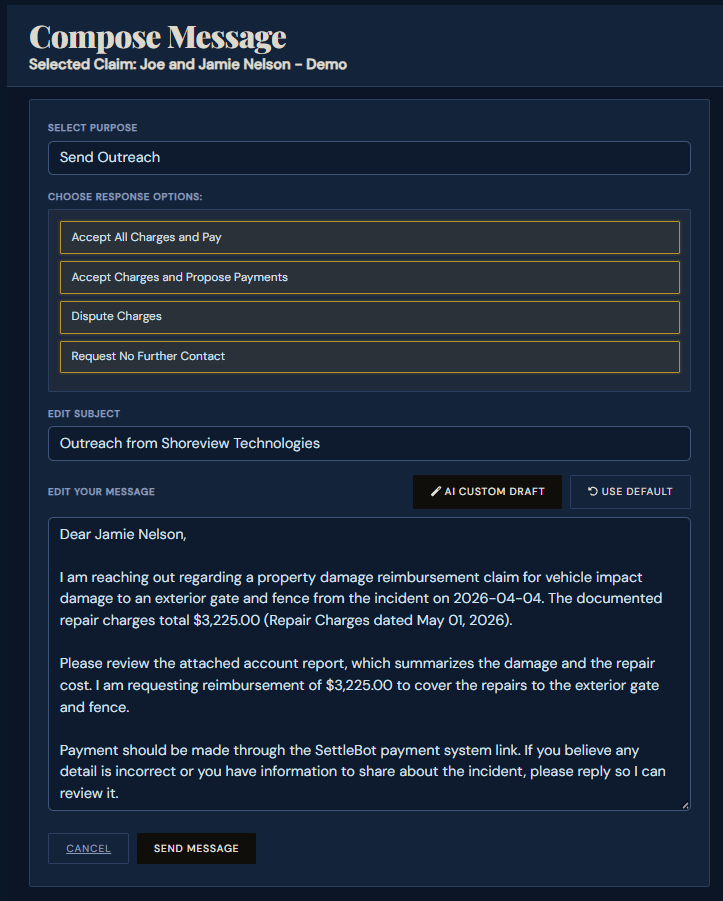
SettleBot's AI writes and sends the reimbursement demand.
The AI generates a professional, factual demand referencing the incident date, each item of damage, the repair cost, and a clear response deadline. No accusations, no emotional language — just a documented formal request.
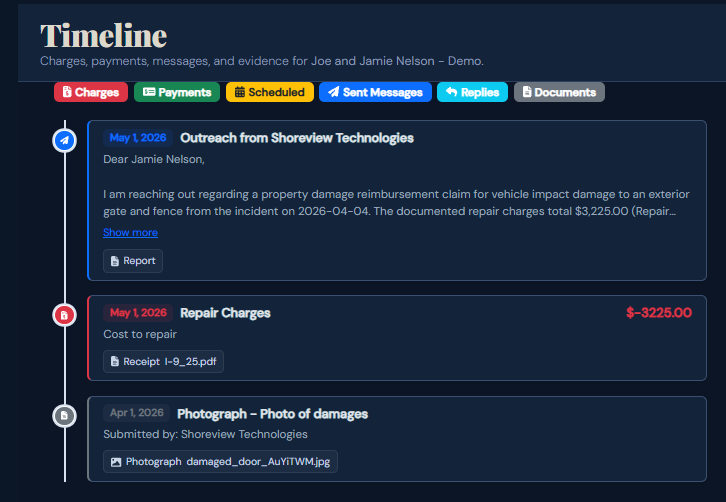
Every charge, document, and message is logged — ready for court.
Every message, photo, charge, and response is automatically timestamped and stored. If the dispute escalates to small claims court or an insurance review, you have a complete, dated record of every event.
Documented damage claims don't get dismissed.
"The neighbor's insurance had been stalling for three weeks. I sent the SettleBot report and they called the next day to settle. The photos and repair estimates in one PDF made it impossible to keep denying."
Free to try · $17 per claim to send · No subscription
Common questions about property damage claims
That's your call, but filing through your own insurance often raises your premiums. A direct demand to the responsible party — with documentation — frequently resolves the claim without involving your policy.
In most states, property owners are responsible for maintaining trees on their land. If the tree was dead, diseased, or previously flagged as a risk, your documentation of that fact (photos, prior complaints) strengthens the claim significantly.
Yes. SettleBot's PDF report is formatted as a formal demand letter — suitable for sending directly to an insurance adjuster. Many insurers resolve claims faster when they receive organized, documented demands.
Limits vary by state — typically $5,000–$25,000. For most residential property damage claims, small claims is the right venue and does not require an attorney.
Document your damage claim the right way — today.
Take photos, upload repair estimates, and let SettleBot write the formal demand — with a court-ready report ready if they refuse to cooperate.