How to collect tenant move-out damages — without the argument.
Most tenants expect their deposit back. When you're claiming damages on top of it, emotions run high and accusations fly. SettleBot removes the conflict: every charge is photographed, documented, and delivered professionally — so there's nothing left to dispute.
Photo evidence attached to every charge
Each cleaning and damage line item carries its own photos — a picture is worth more than any argument.
AI-written outreach, not an angry email
SettleBot drafts a calm, professional message that presents the facts and gives the tenant a clear path to respond.
Every reply logged automatically
Every outgoing message and tenant response is timestamped and stored — creating an audit trail you can take to court.
Tenants don't expect to owe you money.
In their mind, they cleaned well enough. The damage was already there. You're being unreasonable. The moment you send a damage claim with no documentation, you've started a fight — not a resolution.
Tenants routinely dispute charges when there's no paper trail. "Prove it" is the first thing they say — and they're right to ask.
When the repair bill exceeds the deposit, you're now asking for money the tenant didn't plan to pay. Without clear documentation, they won't pay it.
If it reaches court, a handwritten list of damages won't cut it. You need organized records, dated communications, and documented evidence.
When everything is documented and delivered professionally, there is nothing to argue about. The tenant sees the evidence, sees the total, and has a way to respond — on record.
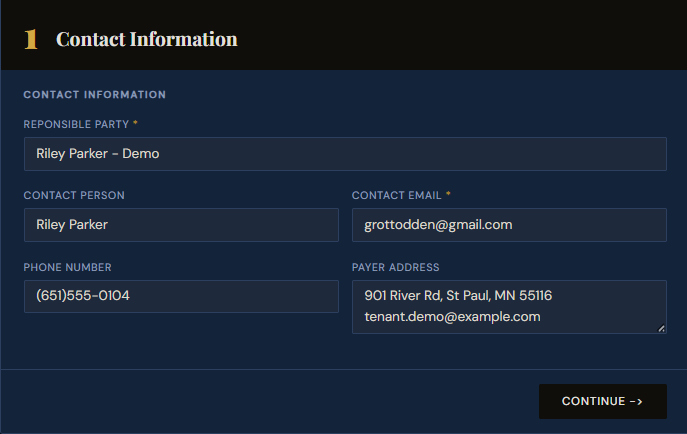
Enter the tenant's contact information.
Start by creating a new claim. Enter the tenant's name, email address, phone number, and mailing address. This is the delivery address for the closing statement and appears in the header of every document — so there's never any question about who the claim is directed at.
Getting the email right here means SettleBot delivers everything automatically when you're ready to send.
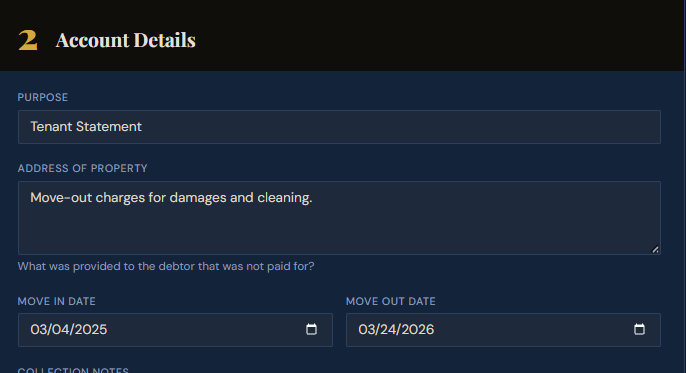
Describe the tenancy — property, purpose, and dates.
Enter the property address, the purpose of the claim, and the move-in and move-out dates. SettleBot uses these dates to calculate deposit interest automatically and timestamps every document correctly.
A brief description of what happened — "move-out charges for damages and cleaning" — puts the purpose in writing from the start. No ambiguity, no revisionist history later.
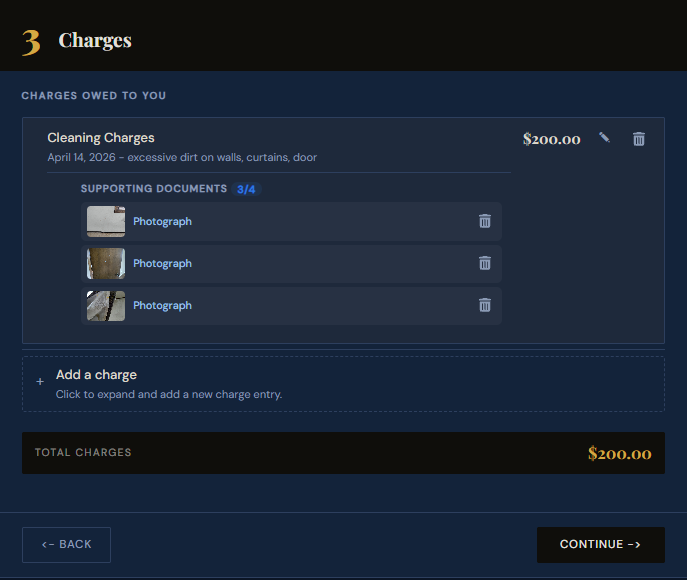
Add each charge and attach photos as evidence.
For every cleaning item or damage — dirty walls, broken fixtures, damaged curtains, grease on appliances — enter a charge type, dollar amount, and clear description.
Then attach photos directly to that charge. Each photo becomes a numbered exhibit permanently linked to the line item. When the tenant sees a photo of the damage sitting next to the dollar amount, there is nothing left to argue about.
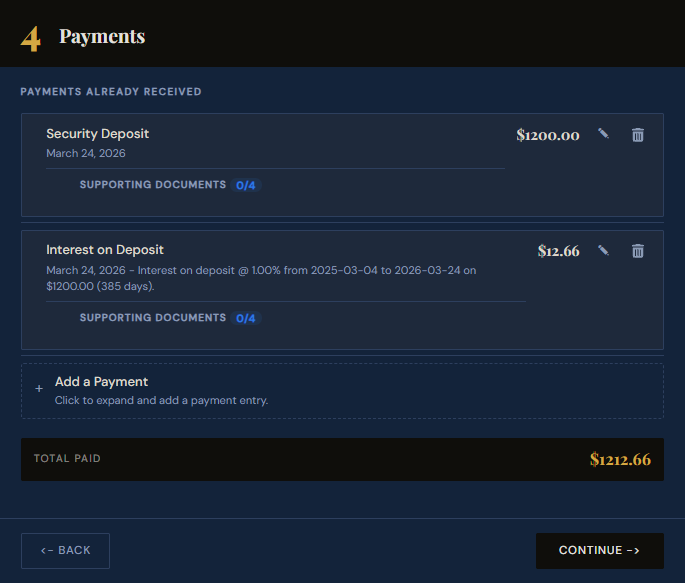
Enter the deposit and accrued interest.
Enter the security deposit amount. If your state requires interest on held deposits, SettleBot calculates it automatically from move-in to move-out — no spreadsheet needed.
The running balance updates instantly. You can see the exact refund owed or balance still due before sending anything. The tenant sees the same numbers, derived from the same documented inputs — so there's no room to claim the math was wrong.
Generate a professional PDF damage statement.
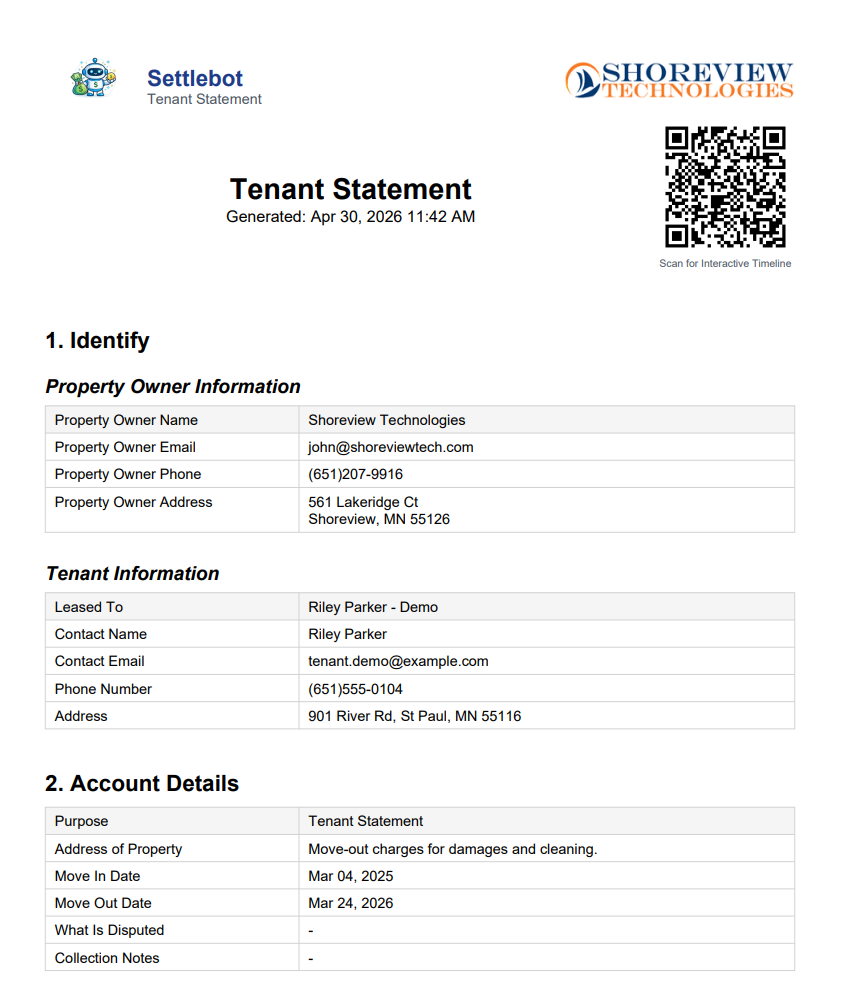
SettleBot compiles everything into a clean, professionally formatted PDF — the kind of document that signals to a tenant, and to a judge, that you are organized and prepared.
The PDF includes full property and tenant identification, every charge with its description and amount, all attached photos numbered as appendix exhibits, the deposit and interest applied, and the final balance. One document. Everything in it.
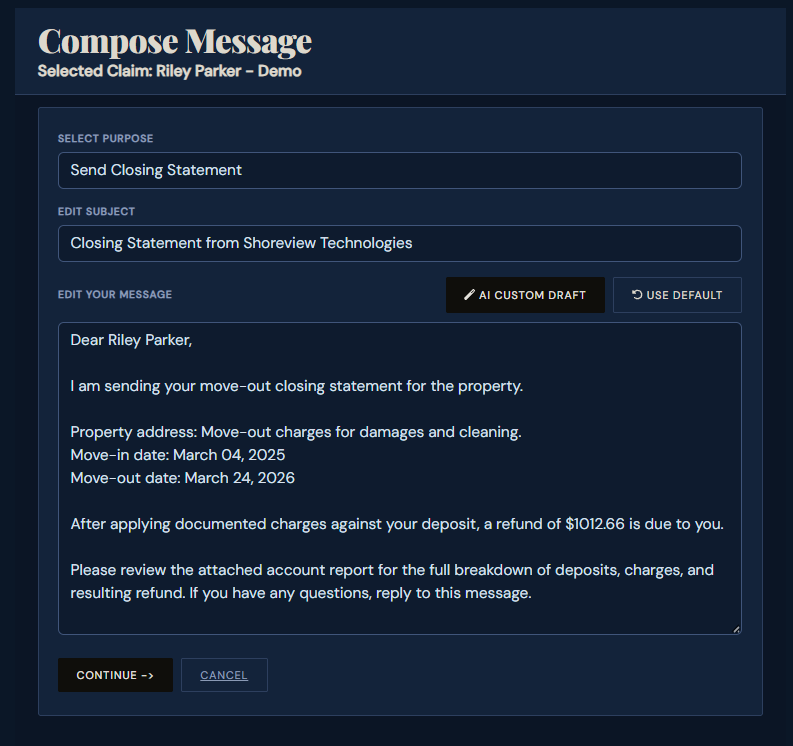
SettleBot's AI writes and sends the outreach.
You don't write the email. Click "AI Custom Draft" and SettleBot generates a professional, factual closing statement — no accusations, no emotional language. Just a clear account of what happened, what was charged, and what is owed.
The tenant receives the PDF and a link to the full documented record. They can review every charge and photo, respond directly, and propose a payment plan — all on the record.
Every communication is logged — automatically.
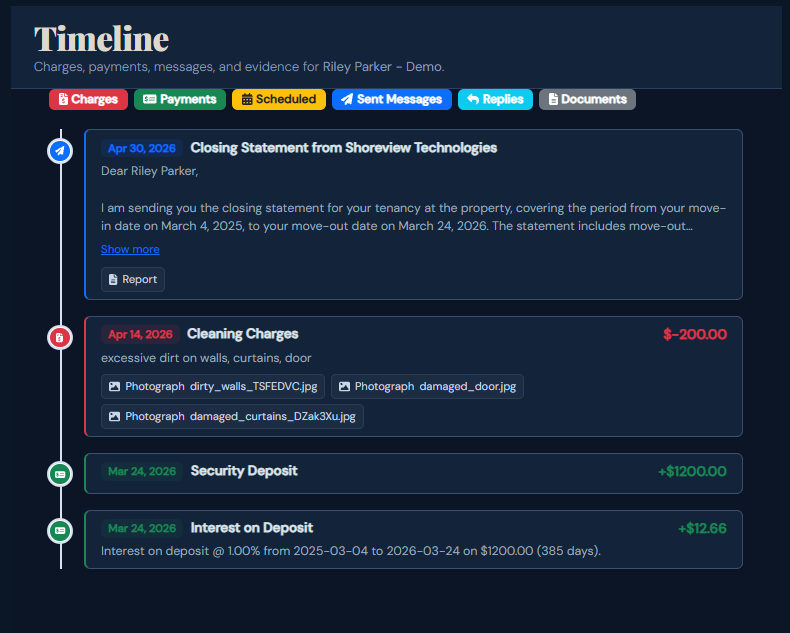
Every charge, payment, outgoing message, and tenant response is timestamped and stored in a single timeline. Nothing lives in a text thread or inbox where it can be lost, edited, or denied.
If the case goes to small claims court, you walk in with a complete chronological record — charges with photos, the statement sent, when the tenant opened it, what they replied, and every follow-up. All in one PDF. Judges appreciate that.
Documented claims don't get disputed.
Tenants argue when they sense ambiguity. When you present a timestamped record with photos, invoices, professional communication, and a clear total — there's no ambiguity left. The conversation shifts from "I dispute this" to "how do I pay this."
"The tenant looked at everything — photos, receipts, dates — and said 'I didn't realize it was all in one place like that.' They paid within three days."
Free to try · $17 per claim to send · No subscription
Common landlord questions
SettleBot calculates the balance automatically. If charges exceed the deposit, the remaining amount owed is clearly shown — in the PDF, in the outreach email, and in the tenant's response portal.
No. The tenant gets a simple email with a unique link. They can review the charges, respond, propose a payment plan, or upload their own evidence — no account required.
Yes. If the tenant can't pay the full amount at once, they can propose a payment plan directly through their response link. You review and accept it, and SettleBot tracks each scheduled payment.
SettleBot's report is designed for exactly this. You print the PDF, bring it to court, and walk through the timeline of charges, photos, and communications. Judges appreciate organized documentation.
As many as needed. Cleaning, damage, labor, materials, invoices — SettleBot supports multiple charge types and unlimited line items per case.
Yes. Every outgoing message, tenant view, tenant reply, and document upload is timestamped and stored in the case timeline. Nothing requires manual logging.
Document your next move-out the right way.
Set up your first case in minutes. Enter the deposit, add your charges with photos, and let SettleBot handle the rest — professional outreach included.