How to collect an unpaid invoice — without burning the relationship or going to court.
You did the work. The client went quiet. Chasing invoices with emails that get ignored is demoralizing and wastes time. SettleBot turns your invoice, contract, and work record into a formal, documented demand — professional enough to preserve the relationship, serious enough to get paid.
Contract and invoice attached as exhibits
Signed agreements, statements of work, and invoices become numbered exhibits in your PDF demand — the same format a judge expects.
AI writes the demand, not you
SettleBot drafts a calm, professional follow-up that references the work completed, the invoice amount, and a clear deadline — without sounding desperate or aggressive.
Every follow-up is on the record
If the client later claims they "never received anything," you have delivery timestamps and their responses — logged automatically.
Clients delay payment when there's no formal process behind the ask.
An invoice in an email inbox is easy to defer. A documented demand letter with your contract, completed work summary, and a deadline is not.
Replies slow down after delivery, stop entirely after invoicing. Every follow-up feels like you're begging for money you already earned.
Clients push back on the invoice claiming the work wasn't done, wasn't what they asked for, or wasn't worth the price. Without documentation, it's your word against theirs.
You want to get paid without torching the relationship or looking unprofessional. Angry follow-ups damage both. A calm, documented demand does neither.
The moment a client sees a formal demand letter with their contract attached as Exhibit A, the dynamic changes. You're no longer asking — you're presenting a record.
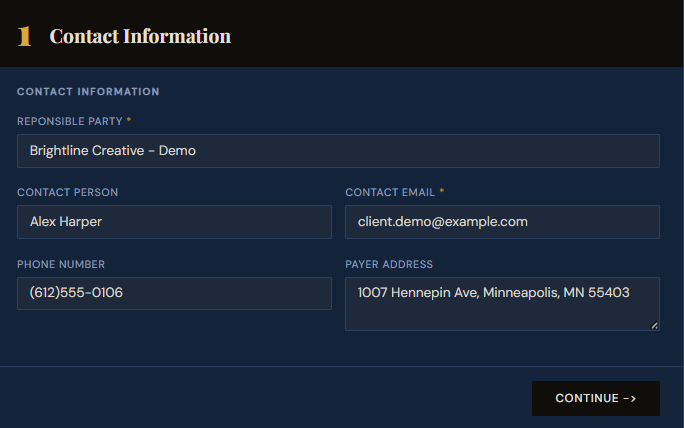
Create a claim — enter the client's contact information.
Enter the client's business name, contact person, email, phone, and address. This becomes the header of your formal demand and establishes exactly who you're holding accountable.
Having the client's full contact information in the record means any escalation — a small claims filing, a certified letter — flows directly from what you've already documented here.
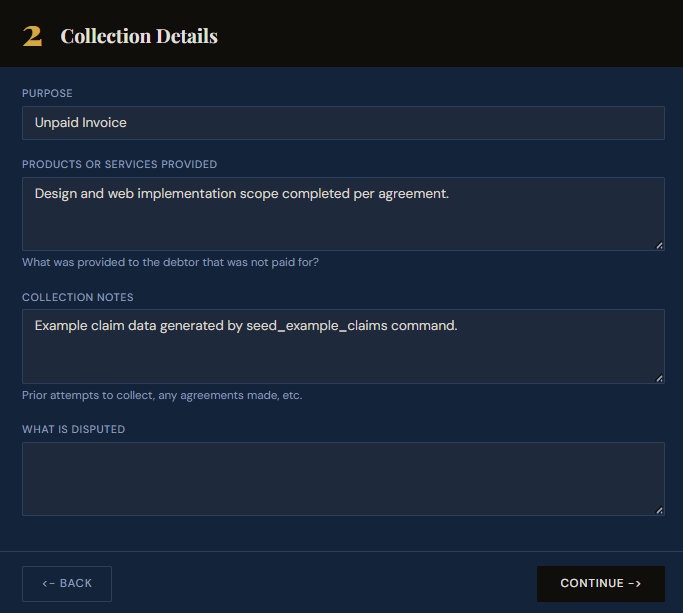
Set the purpose and describe the work completed.
Select Unpaid Invoice as the purpose and describe the services you provided. Be specific — "Design and web implementation scope completed per agreement" is clearer than "web project."
This description appears in the demand letter and the PDF report. Specificity here makes it harder for a client to claim the work wasn't delivered or wasn't what was agreed.
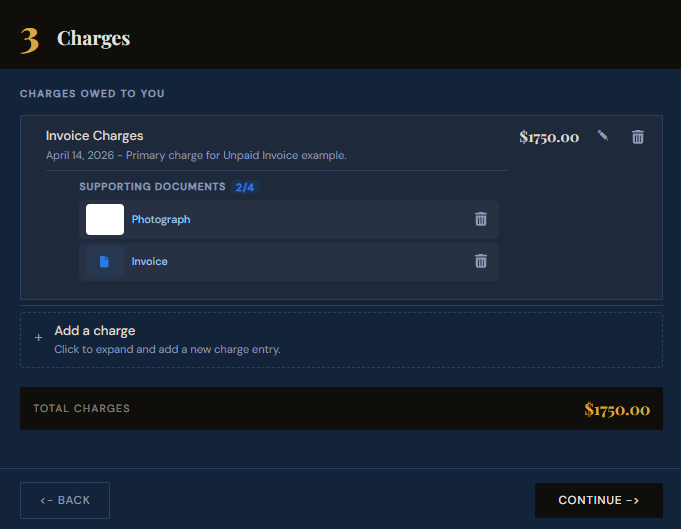
Add the invoice amount and attach the invoice.
Enter the invoice total as a charge. Attach the actual invoice file and any proof of delivery — photos of completed work, screenshots of approvals, or client sign-off emails. These become numbered exhibits automatically linked to the charge.
The client receives a response link where they can review every charge and supporting document. When the invoice is right there as Exhibit A, it's hard to claim it was never received.
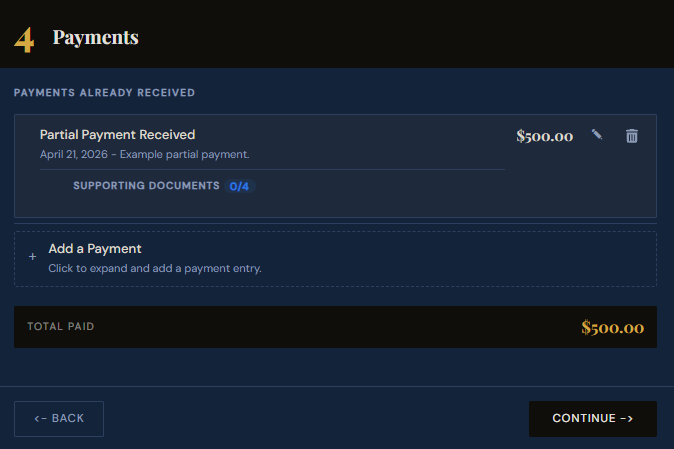
Record any partial payments already received.
If the client paid a deposit or made any partial payment, enter it here. SettleBot calculates the outstanding balance automatically — so the demand references the exact amount still owed, not the original invoice total.
The running balance — what was charged, what was paid, what remains — appears in every message and report. There's no room for "I thought we were settled" when the math is laid out in a formal document.
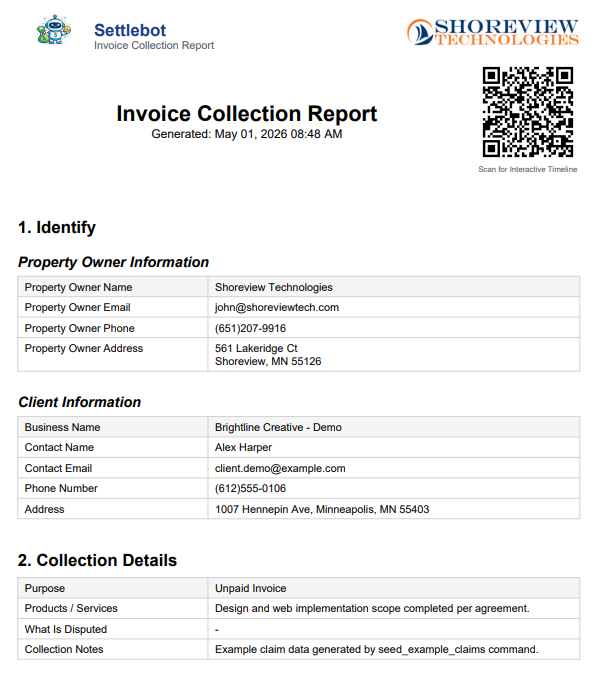
Generate a formal PDF invoice demand.
SettleBot compiles your project details, client info, charges, payments, and exhibits into a professionally formatted PDF — the kind that signals to a client that you've moved from "friendly follow-up" to "formal demand."
The PDF is also what a small claims court judge asks for. Everything they need — who, what, how much, what was agreed — is in one document with numbered exhibits.
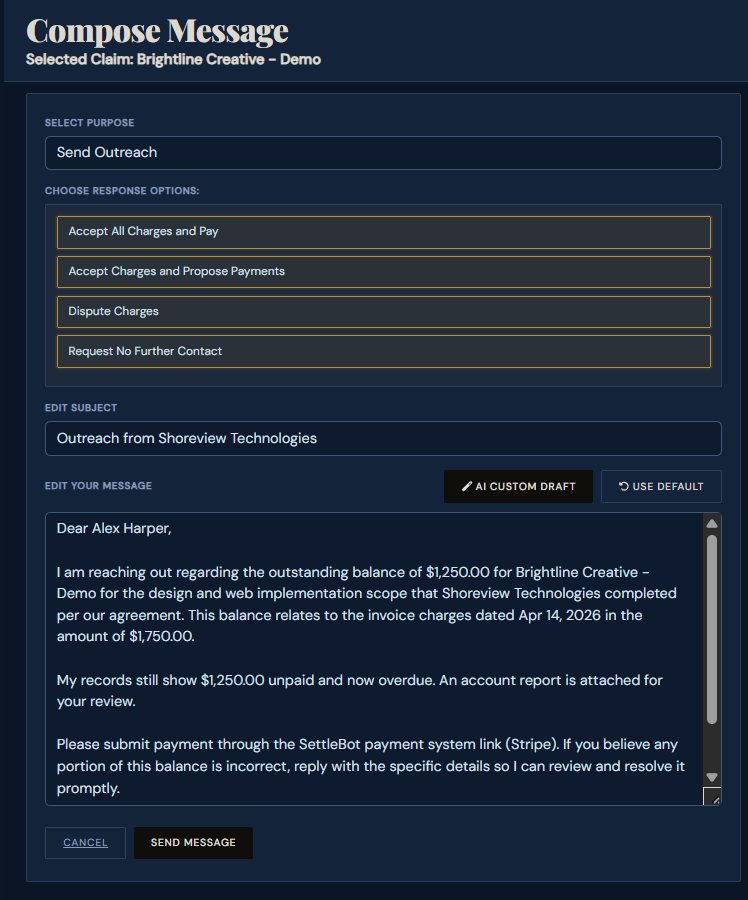
SettleBot's AI writes and sends the professional demand.
The AI drafts a factual message referencing the services completed, the invoice amount, any partial payment received, and the outstanding balance — with a clear deadline. No emotional language, no threats. Just the record.
The client can accept all charges and pay, propose a payment plan, or dispute — all through their response link. Every action is logged automatically.
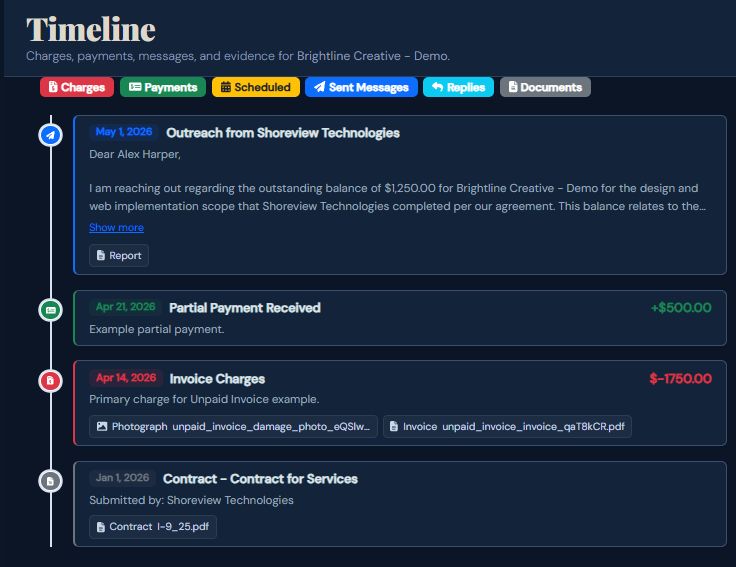
Every charge, payment, and message is logged — court-ready if needed.
The timeline captures everything: the contract upload, the invoice charge, partial payments received, the demand sent, and any client replies — all timestamped in one view.
If the client ignores the demand or disputes in bad faith, SettleBot's final report has everything a small claims court needs — the contract, invoice, payment history, and the full communication record — in one PDF.
A formal record changes how quickly clients pay.
Clients ignore invoices when they sense no consequence. A documented demand with a signed contract, delivery proof, and a clear deadline shifts that dynamic — suddenly there's a record and a deadline, not just an email.
"The client had been ignoring my invoices for six weeks. One SettleBot demand letter and they paid the full balance in two days. They saw the contract was Exhibit A."
Free to try · $17 per claim to send · No subscription
Common questions about unpaid invoice claims
Attach any written agreement — a proposal the client replied "sounds good" to, a statement of work, or email threads confirming the scope and rate. Courts regularly accept email chains as binding agreements.
Attach delivery confirmations, approval emails, or any client sign-off. If they approved the work, that approval becomes an exhibit. SettleBot's report shows the approval predates the dispute.
A professional, factual demand is far less damaging than repeated informal follow-ups. Most clients respond quickly once they see a formal document — and the relationship often continues after payment.
Limits vary by state — typically $5,000–$25,000. For most freelance and small business invoices, small claims is the right venue. SettleBot's report is designed for exactly this format.
Turn your unpaid invoice into a documented demand today.
Upload your contract, enter the invoice, and let SettleBot write the demand — with a court-ready report ready if the client still doesn't pay.